What Tempo does
No manual timers, no forgetting to hit start on a task. Tempo watches what you're actually doing and lets you make sense of it afterward.
Automatic tracking
Detects the active window instantly, and for Chrome, Edge, Brave, and Firefox, reads the active tab's title, URL, and domain - no browser extension required.
Memo tagging
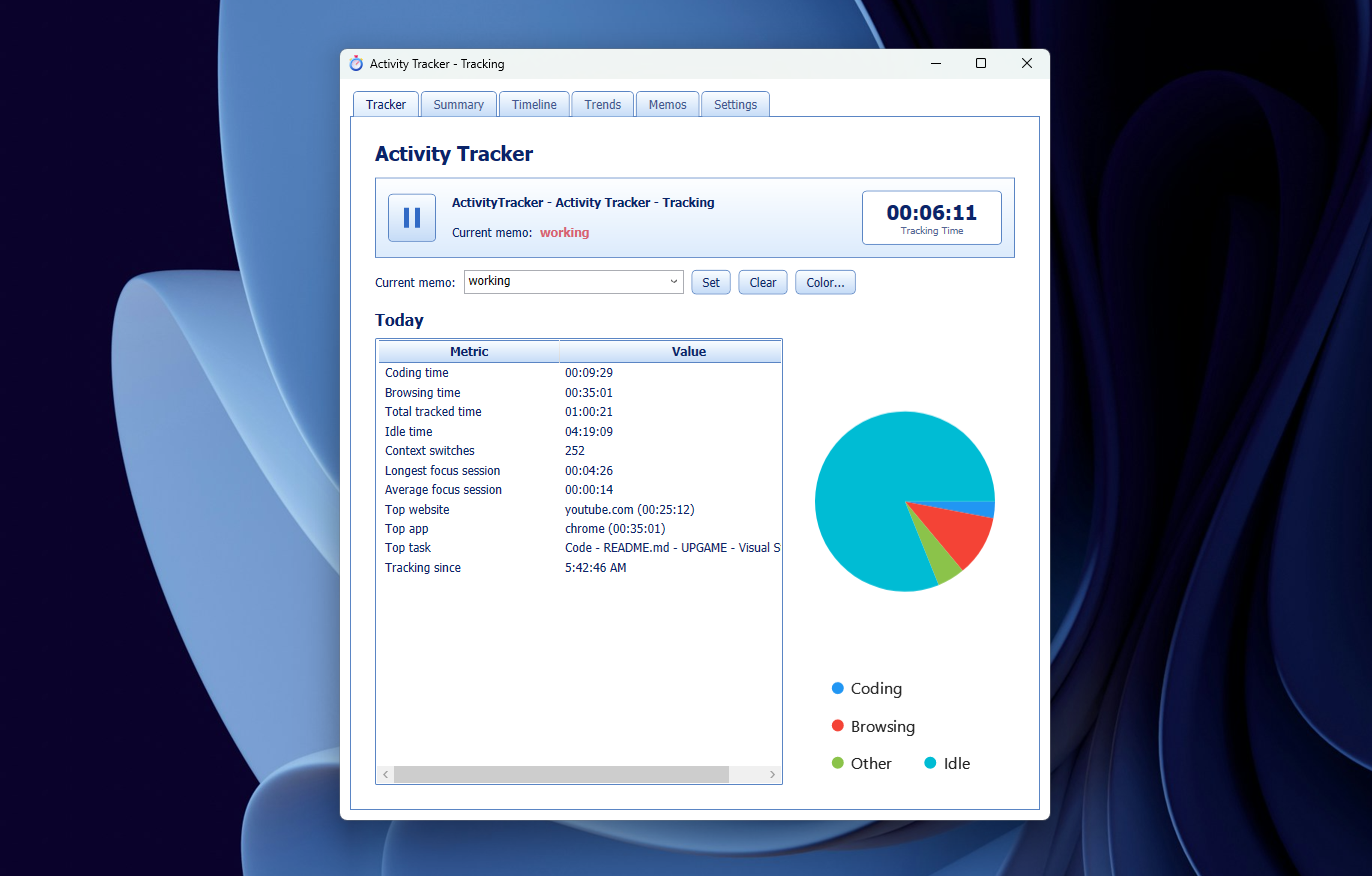
Set a "current memo" and every session gets auto-tagged with it until you change it. Give each memo its own color, and re-tag past sessions any time from the Timeline.
Visual timeline
A color-coded strip of your whole day, plus a searchable, filterable, chronological list of every window switch - select a range and bulk-tag or delete it.
Charts & trends
Pie charts for today's time split, bar charts for your top windows and websites, and hourly/weekly trend charts so you can spot your own patterns.
Local & private
Everything is stored in a local SQLite database and plain-text JSONL logs on your own PC. Nothing is ever uploaded anywhere.
CLI summary
Prefer the terminal? tempo summary prints a full daily report - coding time, browsing time, top sites, focus sessions, and more.